Setup
How to set up your eSIM
Two short steps: install the eSIM from your confirmation email, then turn it on for data when you land.
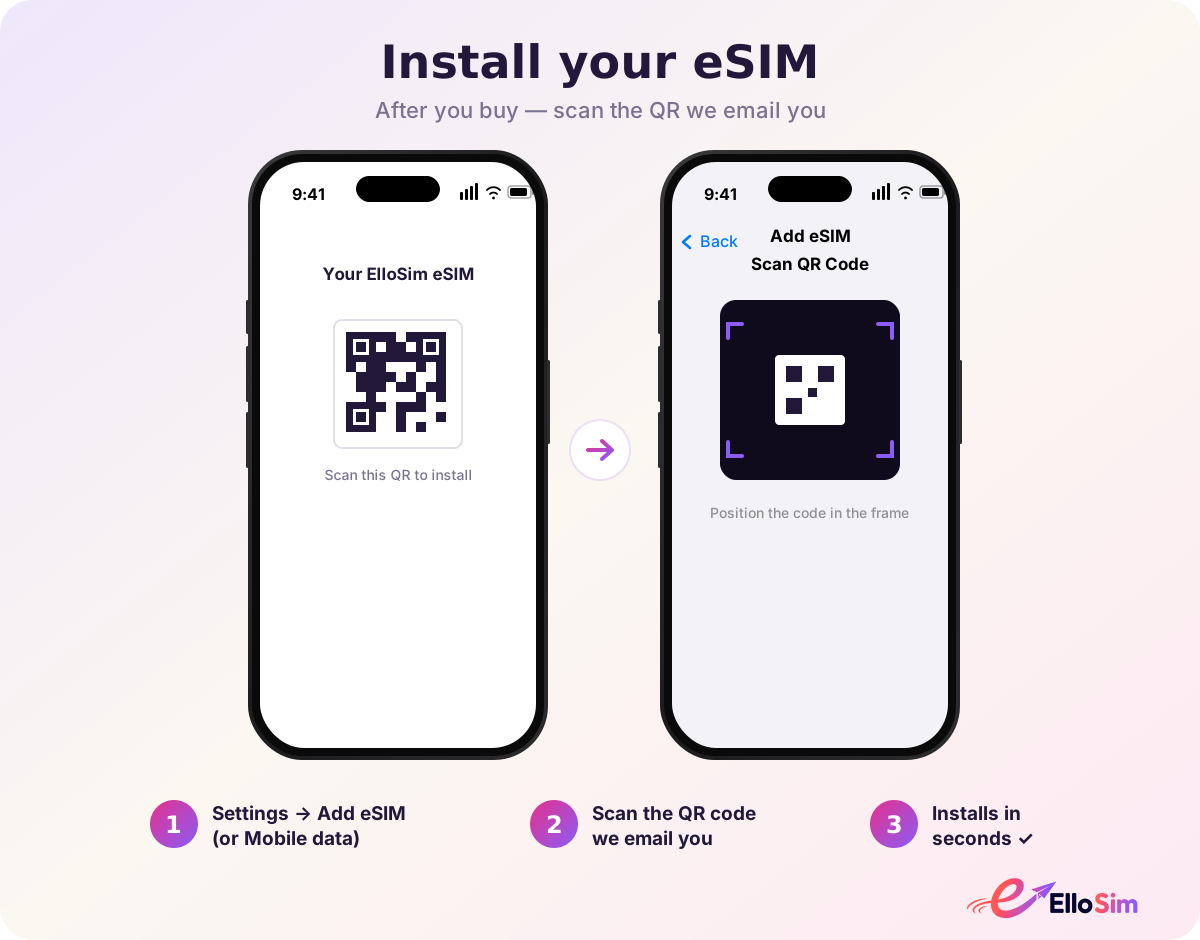 Step 1
Install the eSIM
Open your confirmation email on another screen, then on your phone go to Settings → Cellular / SIMs → Add eSIM and scan the QR. iPhone (iOS 17.4+) users can tap the one-tap install button in the email instead.
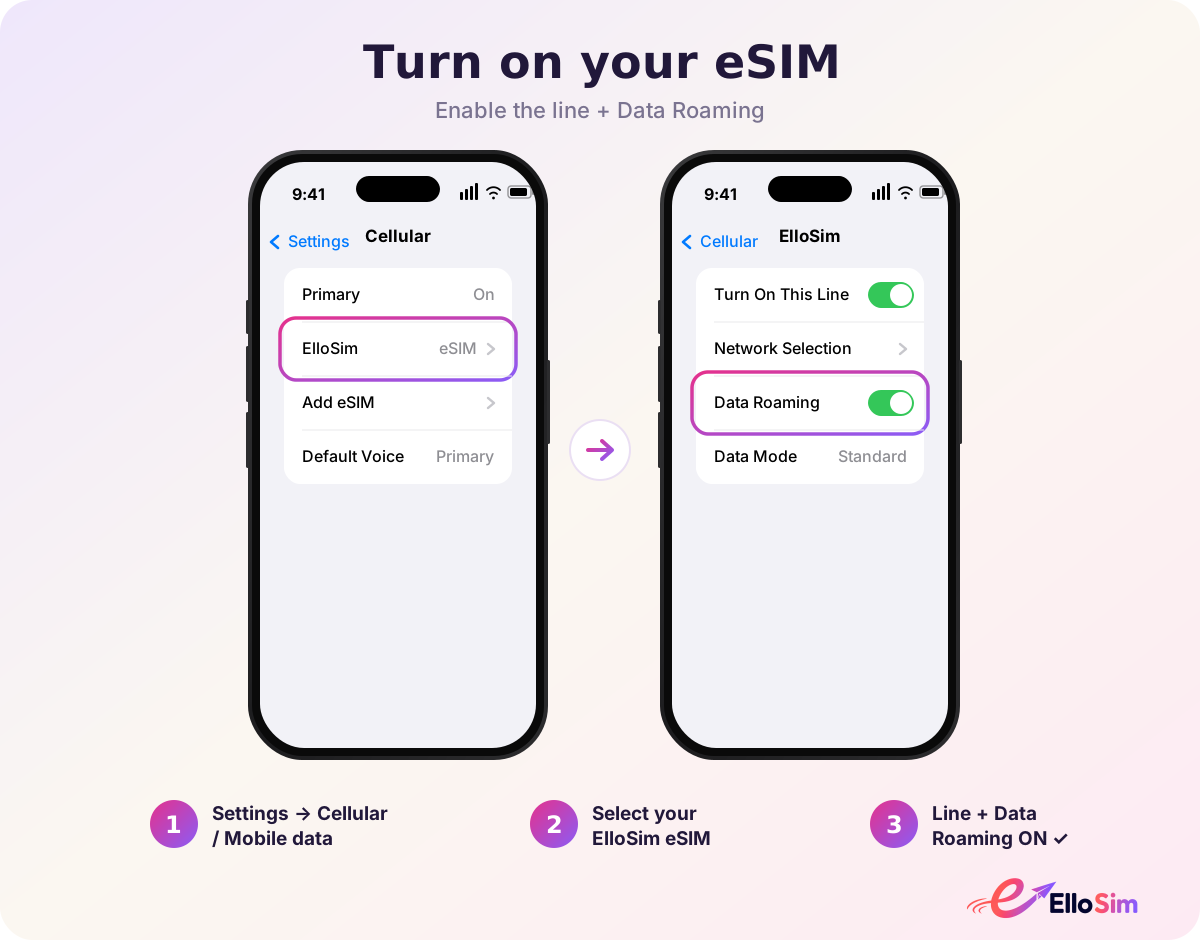 Step 2
Turn it on when you arrive
When you land, open Settings → Cellular / SIMs, select the new ElloSim line, turn it on, and enable Data Roaming for that line. Set it as your default for cellular data — your home line stays for calls and texts.
Not sure your phone supports eSIM?
Run the 10-second compatibility check before you fly.
Check device compatibility