eSIM compatibility

Is my phone eSIM compatible?

For a travel eSIM to work, your phone needs to tick three boxes:

  • It supports eSIM (most phones from 2019 onward do).
  • It's carrier-unlocked — not tied to a specific network.
  • It hasn't been jailbroken (iPhone) or rooted (Android).

Heads up — an eSIM installs on your phone, not your computer. Do these checks on the phone you'll actually travel with.

Check compatibility

  • The device supports eSIM.
  • The device is not carrier- or network-locked.
  • The device is not jailbroken (iOS) or rooted (Android).

All iPhones from iPhone XR / XS (2018) onward support eSIM. iPad: iPad (7th gen+), iPad Air (3rd gen+), iPad Pro 11-inch (all gens) and 12.9-inch (3rd gen+), iPad mini (5th gen+).

Apple — iPhone

  • iPhone XR
  • iPhone XS
  • iPhone XS Max
  • iPhone 11
  • iPhone 11 Pro
  • iPhone 11 Pro Max
  • iPhone SE (2020)
  • iPhone SE (2022)
  • iPhone 12
  • iPhone 12 mini
  • iPhone 12 Pro
  • iPhone 12 Pro Max
  • iPhone 13
  • iPhone 13 mini
  • iPhone 13 Pro
  • iPhone 13 Pro Max
  • iPhone 14
  • iPhone 14 Plus
  • iPhone 14 Pro
  • iPhone 14 Pro Max
  • iPhone 15
  • iPhone 15 Plus
  • iPhone 15 Pro
  • iPhone 15 Pro Max
  • iPhone 16
  • iPhone 16e
  • iPhone 16 Plus
  • iPhone 16 Pro
  • iPhone 16 Pro Max
  • iPhone 17
  • iPhone 17 Pro
  • iPhone 17 Pro Max
  • iPhone Air

Apple — iPad

  • iPad (7th gen)
  • iPad (8th gen)
  • iPad (9th gen)
  • iPad (10th gen)
  • iPad Air (3rd gen)
  • iPad Air (4th gen)
  • iPad Air (5th gen)
  • iPad Air 11-inch (M2)
  • iPad Air 13-inch (M2)
  • iPad Pro 11-inch (1st gen)
  • iPad Pro 11-inch (2nd gen)
  • iPad Pro 11-inch (3rd gen)
  • iPad Pro 11-inch (4th gen)
  • iPad Pro 11-inch (M4)
  • iPad Pro 12.9-inch (3rd gen)
  • iPad Pro 12.9-inch (4th gen)
  • iPad Pro 12.9-inch (5th gen)
  • iPad Pro 12.9-inch (6th gen)
  • iPad Pro 13-inch (M4)
  • iPad mini (5th gen)
  • iPad mini (6th gen)
  • iPad mini (A17 Pro)

Don't see your device?

This list isn't exhaustive. Check your phone's Settings for "Add eSIM" or "Add cellular plan", or dial *#06# — if you see an EID, your device supports eSIM. Still unsure? Contact the manufacturer.

Some regional variants do not support eSIM even if the model is listed. iPhones and most Android phones sold in mainland China, and some Hong Kong/Macao and South Korea variants, may lack eSIM. Samsung S20 FE and some US carrier-locked variants vary. This list is not exhaustive — if a device isn't listed, check Settings (look for 'Add eSIM') or your manufacturer.

Can't find your device?

Two quick manual checks anyone can do in 10 seconds.
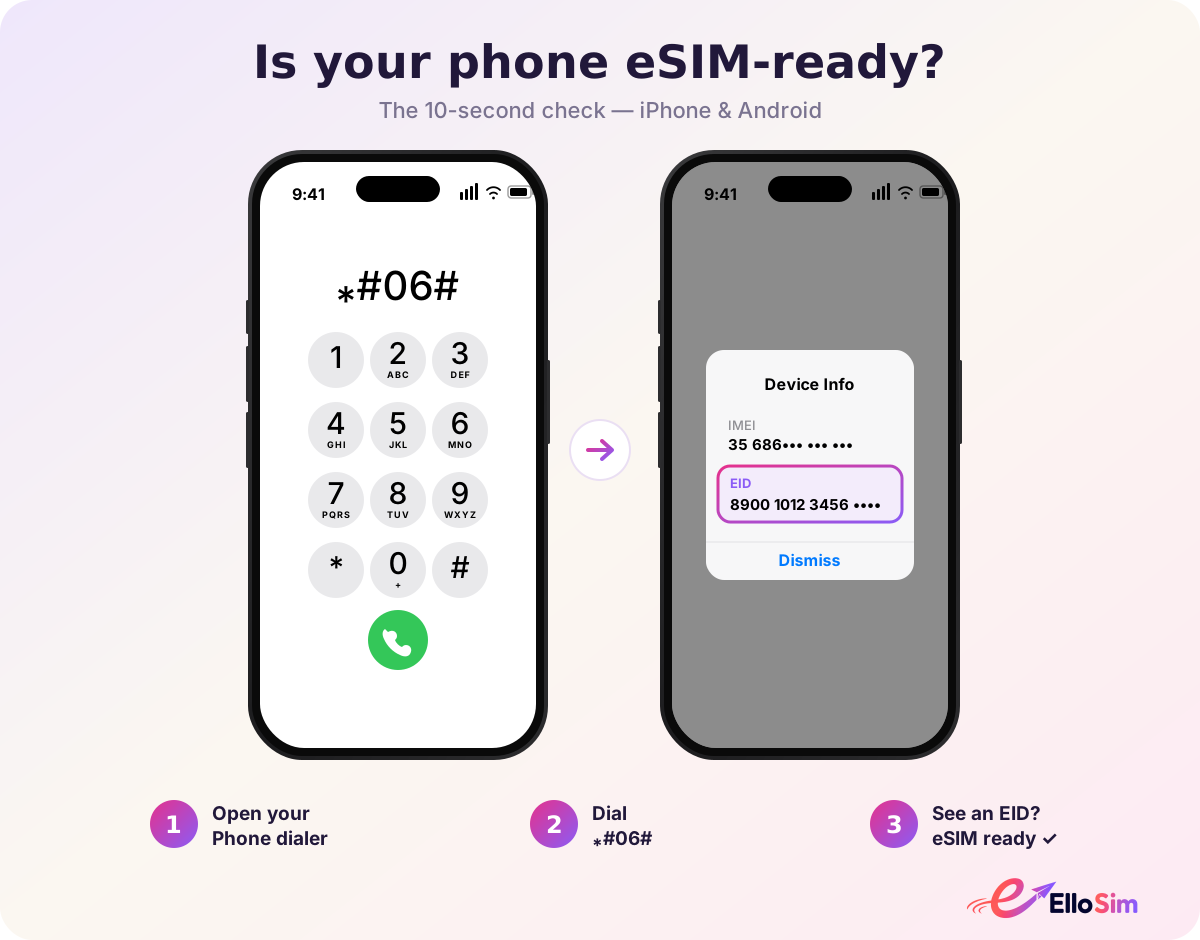
Is your phone eSIM-ready? 10-second check for iPhone and Android
Start here — the 10-second eSIM-ready check for iPhone & Android.
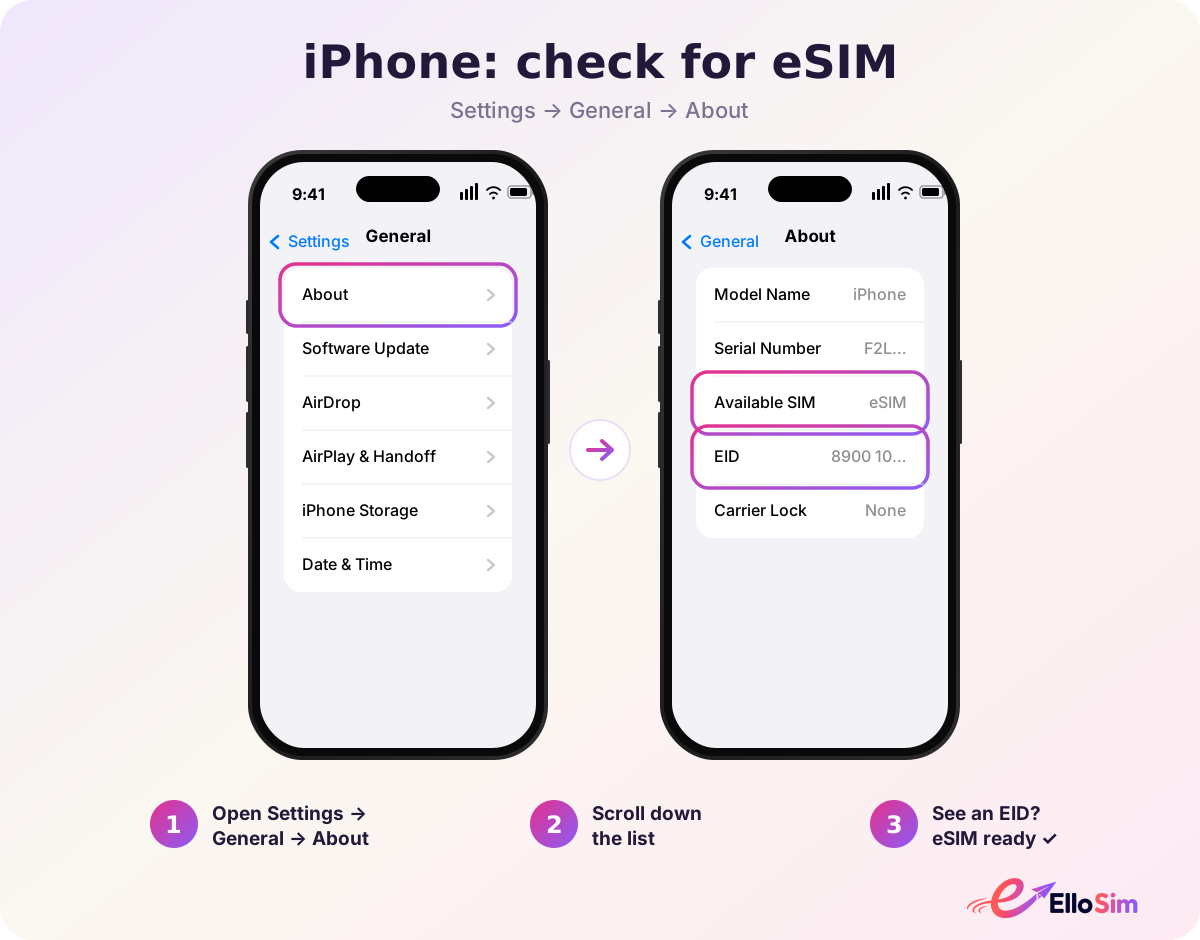
iPhone eSIM check: Settings, General, About
iPhone: Settings → General → About, then scroll to find EID.
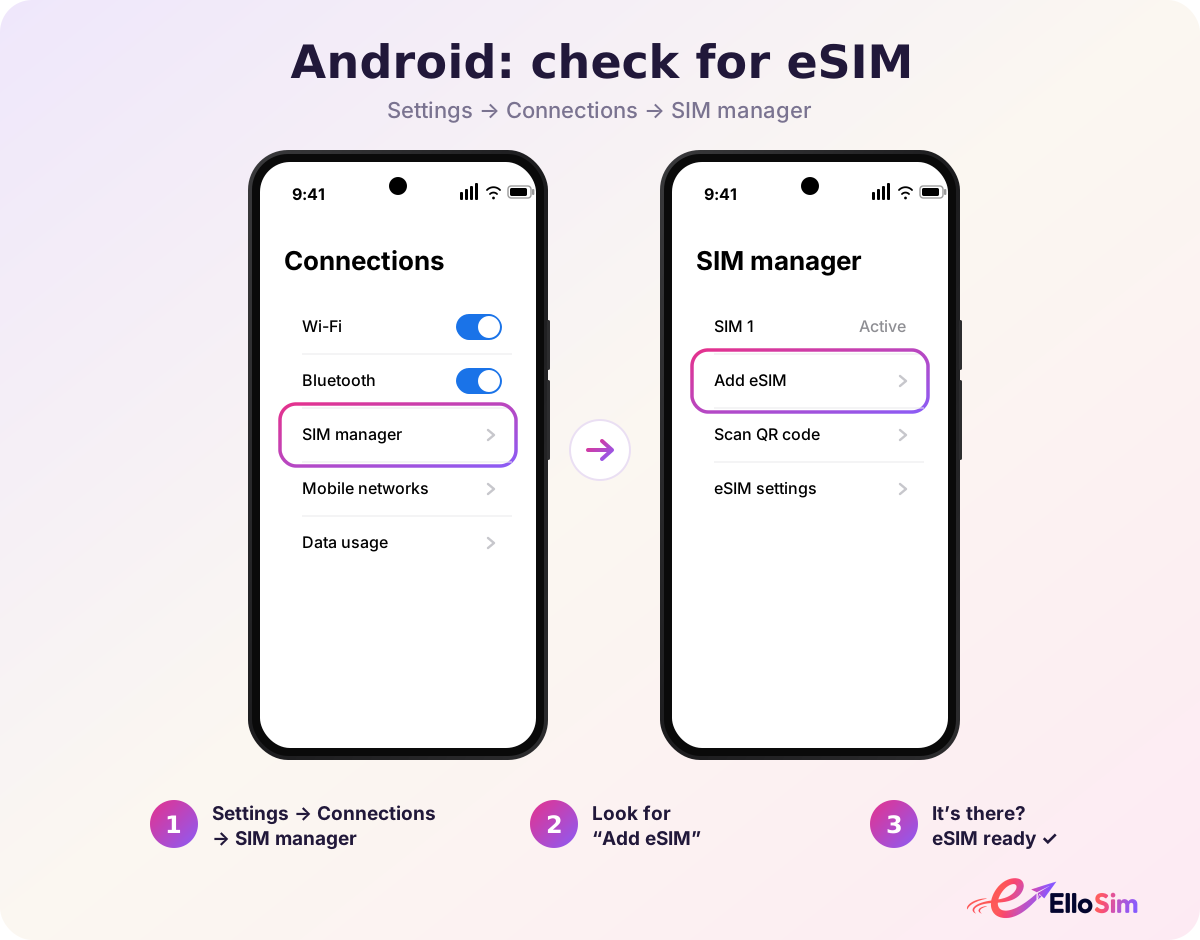
Android eSIM check: Settings, Connections, SIM manager
Android: Settings → Connections → SIM manager (look for eSIM).
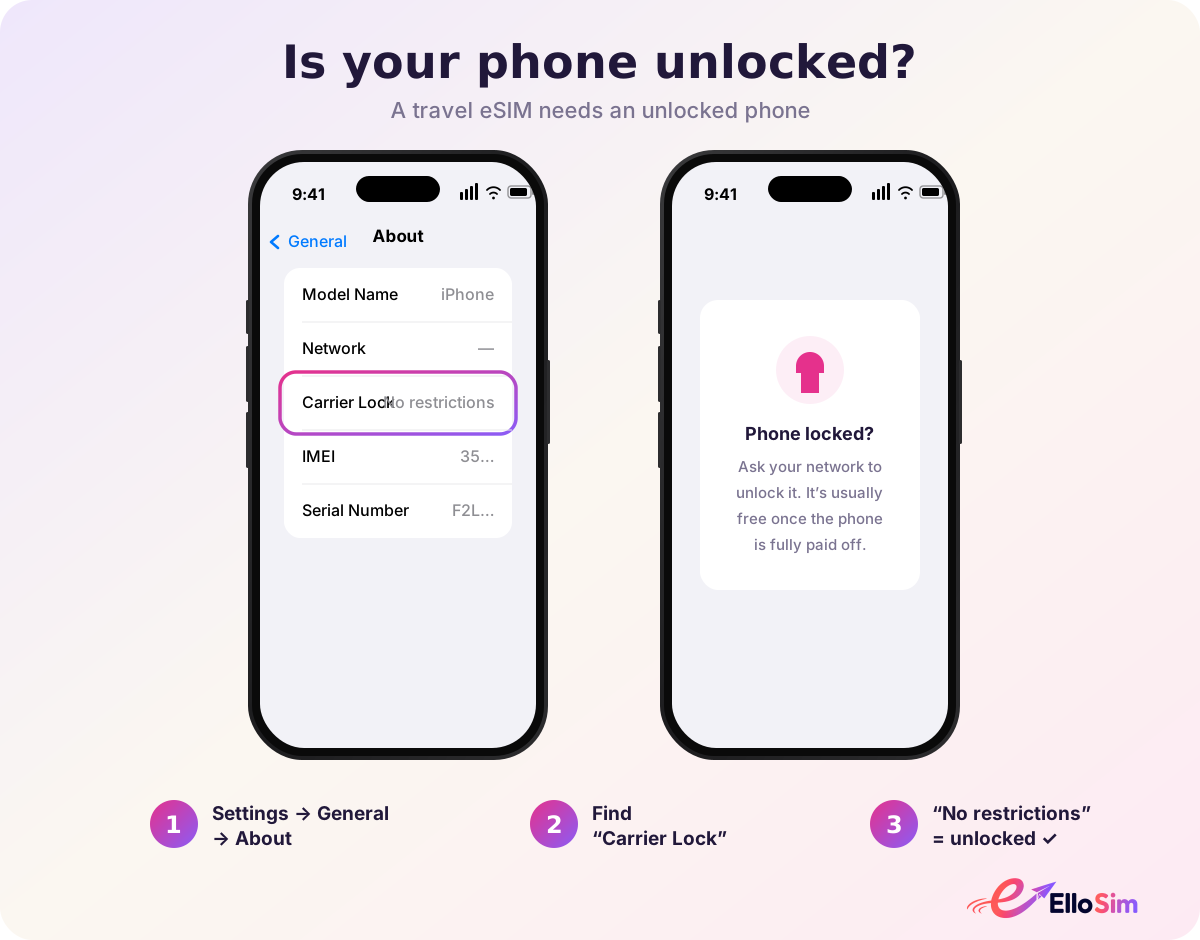
Check that your phone is carrier-unlocked
Make sure your phone is carrier-unlocked — a travel eSIM needs an unlocked phone.

You're good to go.

Browse eSIMs